
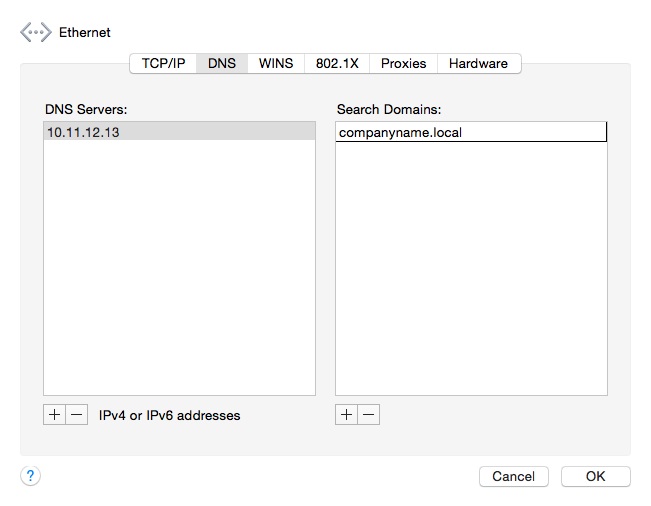
After the release of Yosemite, Mac users in my company who updated to the new OS, noticed that they were unable to resolve .local domain names. This was especially an issue for those connecting over a VPN connection. For the Mac users on our domain, I always included the IP addresses of our DNS servers in their Advanced network settings. However to resolve the issue with name resolution, I now have to also add the name of the .local domain in the Search Domain box (as seen below).
Enter the name of your .local domain in each internet connection setting (ethernet, wifi,etc.) and any VPN connections you may also have setup. After applying the new entry, you will need to disconnect and re-connect to your internet and VPN connections. After reconnecting you should be able to resolve .local addresses.
 d:constructed
You must be logged in to post a comment.